




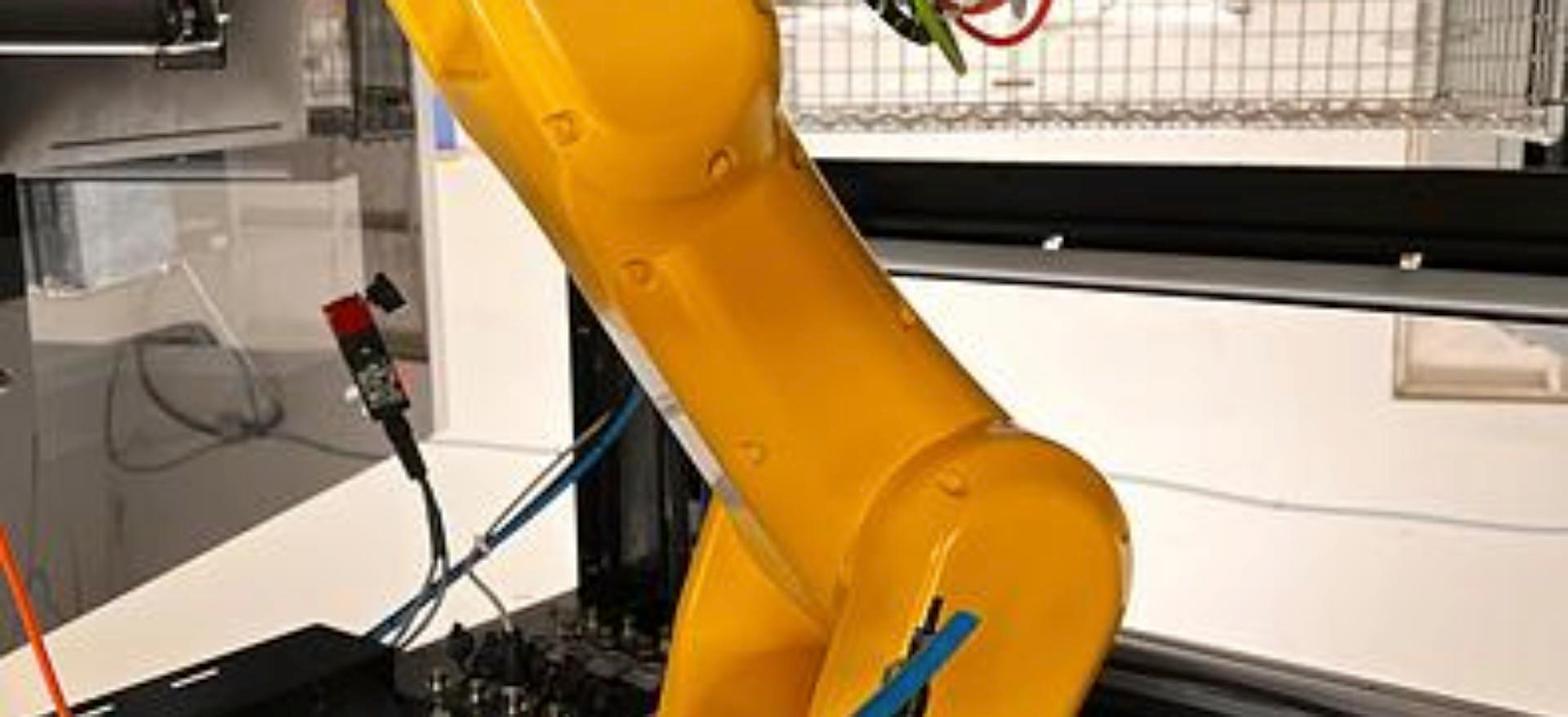
An order picking robot takes single items out of bins, totes or shelf slots and places them into an order tote, carton or conveyor. Most of these jobs run on small, fast arms with a vision camera and a vacuum or finger gripper. Heavy cases and full layers call for a larger arm with more payload.
What Order Picking Looks Like on the Floor
Order picking is a form of material handling where every pick can be a different item. A cell might pull parts from a bin, set them in a kit tray, and send the tray down the line. In a warehouse it is more often tote to tote.
That makes it harder than a fixed parts transfer job, where the same part shows up in the same spot every cycle. In picking, parts sit at random, lean against each other, and change from one order to the next.
A lot of picking stations are fed by carts, conveyors or mobile robots that bring totes to the arm. We carry a KUKA KMP 600S AMR for plants moving material that way.
Why Vision Matters
A robot without a camera only knows where it was taught to go. That works when parts are fixtured. It does not work for loose items in a bin. A camera over the bin or on the wrist finds the part, works out where it sits and how it is turned. Our post on industrial robot vision covers how the camera and robot work together.
Plan the vision system along with the arm. Lighting, camera mount, part color and how deep the bin is all affect how well the camera reads the parts. Shiny metal and clear plastic are the hardest. Check that the vision package you plan to run will talk to the controller on the robot you buy. The used FANUC robots we carry run on controllers from RJ3 up through R-30iB Plus, and our guide to FANUC robot controllers lays out the generations.
Picking the Gripper
The gripper decides what the robot can pick as much as the arm does. Our write up on end of arm tooling goes through the types. For order picking, the usual choices are:
- Vacuum cups. The most common choice for boxes, bags, blister packs and flat parts. They need a clean flat face to seal on.
- Finger grippers. Better for parts with no good flat face, like shafts, fittings and odd castings. They need room around the part to close.
- Soft or foam grippers. Used where the item is fragile or the shape varies a lot.
If one station picks very different items, a tool changer lets the robot swap grippers between orders. See our post on robotic quick change tooling. Count the changer, the gripper and the vacuum hardware against the payload, not just the item.
Small Fast Arms for Light Items
Most picked items weigh a few kilograms or less, so most picking cells run on small arms. The LR Mate 200iD/7L data sheet lists 7 kg with 911 mm of reach, which gets it across a pair of totes. The standard LR Mate 200iD carries 7 kg with 717 mm of reach for tighter stations, per the LR Mate 200iD data sheet. Our LR Mate 200iD guide compares the versions.
On the ABB side, our listings for the IRB 120 name pick and place among its applications. Our ABB IRB series guide covers where it fits in the line.
When the job is flat picking from a conveyor or tray onto a table, a SCARA or delta robot can beat a six axis arm on speed. We carry the never used FANUC SR-20iA SCARA robot and the FANUC M-3iA/6S delta robot, which carries 6 kg with 1,350 mm of reach on its data sheet. Our guide to used SCARA robots explains when that trade makes sense. Reaching down into a deep bin is still six axis work.
Mid Size and Heavy Arms for Cases
When the pick is a full case, a heavy part or a tote itself, step up in payload. Our FANUC robot cell listings include an M-10iA/12 cell on an R-30iB Plus controller from 2017. The M-10iA/12 data sheet lists 12 kg with 1,420 mm of reach, and the cell comes with the robot already mounted. The KUKA KR16 L6-2 on KRC4 is another mid size option, covered in our KUKA KR series guide.
At the heavy end, the ABB IRB 7600 500/2.55 on IRC5 is built for big loads like full cases, bundles and layers. For that kind of work, also look at our post on palletizing robots.
What to Check Before You Buy
- Payload with the gripper. Item, gripper, vacuum generator and any tool changer all count. Our FANUC payload and reach chart helps you compare models.
- Reach into the bin. Measure to the far bottom corner of the deepest bin, not just the top of it.
- Air and cables to the wrist. Vacuum lines and camera cables have to run up the arm without snagging. Our post on robot cable management covers dress out.
- Pendant, cables and software. Confirm the teach pendant and cables are included, and ask what software options are loaded. See our guide to software on a used FANUC robot.
- Freight. Everything ships FOB Imlay City, Michigan, and the buyer arranges the truck.
Order Picking Robots We Carry
- FANUC LR Mate 200iD/7H: 7 kg payload, 717 mm reach, R-30iB
- FANUC LR Mate 200iD/7L: 7 kg payload, 911 mm reach, R30iB, 2019
- FANUC LR Mate 200iD: 7 kg payload, 717 mm reach, R30iB
- FANUC M-10iA/12 robot cell: 12 kg payload, 1,420 mm reach, R-30iB Plus, 2017
- KUKA KR16 L6-2: KRC4 controller, 2014
- ABB IRB 120: IRC5 controller, 2017
- ABB IRB 7600 500/2.55: IRC5 controller, 2016
Related Guides
- Pick and place robots: matching the robot to the job
- Packaging robots: case packing, labeling and palletizing
- Used ABB robots buyer's guide
Closing Out a Picking Line?
When a warehouse or plant changes its layout, the picking robots often come out with it. We buy used robots, one at a time or a whole building. Start on our sell your used robots page, or ask about robot appraisals if you need a value first. Buying? Our equipment financing page has the details.
To talk about a specific unit, call 586-752-0090, extension 1 for sales, or send our sales team a message.